6 services live · 0 bytes to the cloud

Your own AI server.
Nothing leaves the building.

One computer serves AI to everyone on your network. It starts on a spare laptop and grows into the office AI server. No accounts, no cloud, no internet needed.

offline by design · built in Lagos · benchmarked in public CI
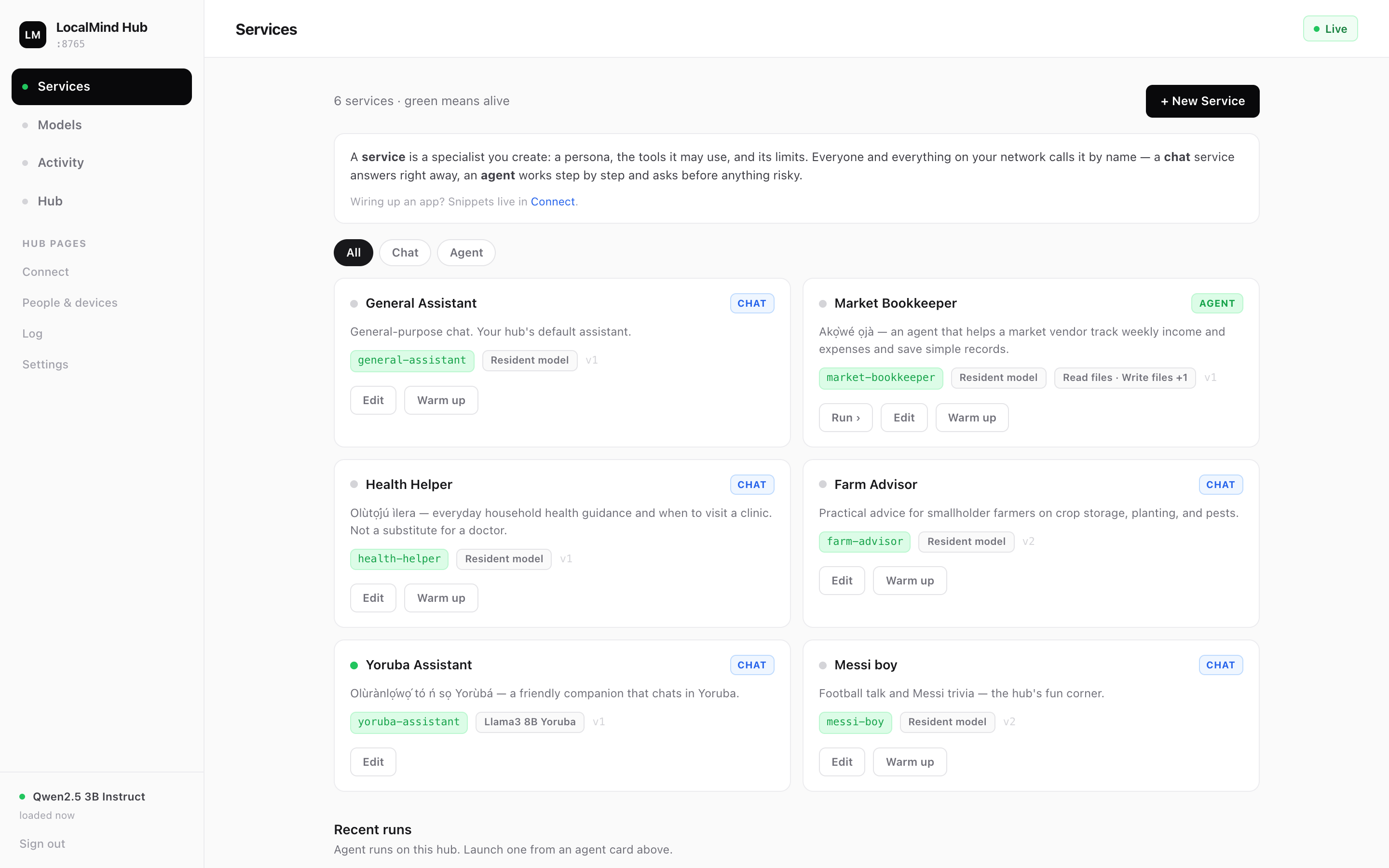
hub online6 services · 2 models · one box
The LocalMind dashboard showing six live AI services including a Farm Advisor, Market Bookkeeper agent, Health Helper, and Yoruba Assistant
How it works

One box. Everyone connects.

LocalMind is infrastructure, not an app: the same hub that starts on a spare laptop in a shop grows into the AI server for a whole office — hosting many services, business and personal, side by side.

01

Start the hub

Install LocalMind on any machine you own — a spare laptop is enough to start, a desktop or office server carries a whole team. It runs entirely on your hardware.

02

Everyone scans to join

People on your network scan a QR code or type a short join code from their phone. No accounts, no passwords, no app store.

03

Create your specialists

A service is a specialist you shape: a persona, the tools it may use, and its limits. A farm advisor, a bookkeeper, a health helper — everyone calls it by name.

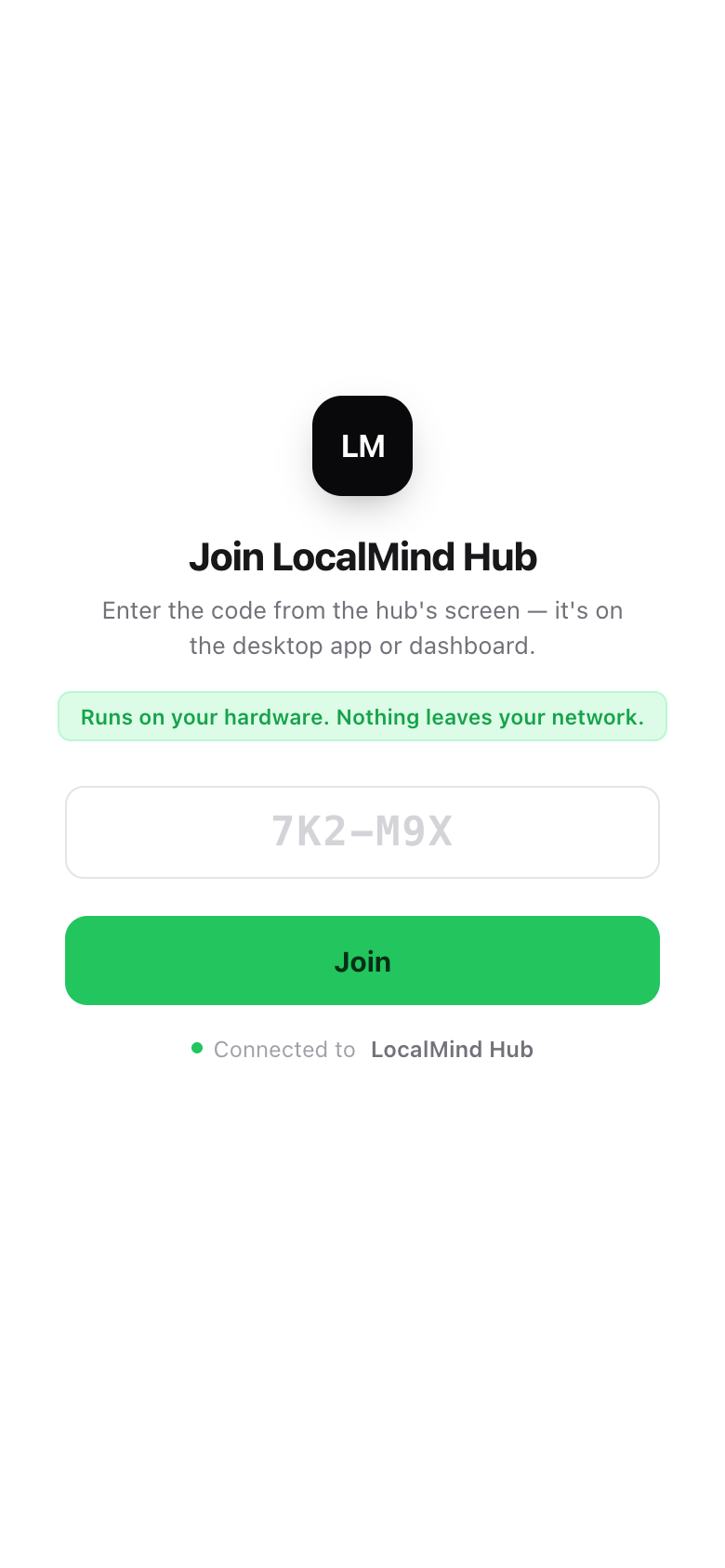
The entire onboarding is a code on a screen:
GRFZ3S
Type it on your phone. You’re in. No accounts, no passwords, no app store.
Why LocalMind

Built for the places cloud AI can’t go.

Nothing leaves the building

Clinics, legal, finance, government — for data that legally or practically cannot go to a cloud, LocalMind is AI that stays on premises. Sovereignty by architecture, not by policy.

Works in airplane mode

Where connectivity is unreliable or expensive, your AI shouldn’t be. Once the model is on the box, LocalMind needs no internet at all — it serves your whole network offline.

One box, not per-seat pricing

Per-seat AI subscriptions don’t survive a 20-person shop. One shared computer serves everyone on the network — and agents ask for approval before doing anything risky.

Joining takes seconds

No accounts. No setup. A code on a screen.

Anyone on the network opens one link on their phone and types the join code. That’s the entire onboarding — designed for teams, families, and shops, not system administrators.

✓Members get their own chats and can create their own services
✓Agents work step-by-step and ask before anything risky
✓A Yoruba-speaking assistant runs in our demo hub today
✓The operator sees everything on one dashboard
The LocalMind phone join screen: enter a short code, tap Join
0.85benchmark accuracy (ARC-Challenge) on a 3B model
~15 tok/sgeneration speed on a plain CPU — no GPU required
3.3 GBpeak memory of a 7 GB budget — runs on the computer you already own
0bytes of your data sent to anyone’s cloud
All performance numbers measured on x86 Ubuntu 22.04, CPU-only, in public GitHub Actions CI — the same class of hardware as an ordinary office laptop.

Between developer tools and enterprise deployments, nobody owns “appliance.”

SetupMulti-userOffline-firstMade for
Ollama / LM Studiodeveloper toolsingle-userpartialdevelopers
Open WebUIsysadmin-heavy✓partialtechnical teams
Team ChatGPTeasy✓✗ cloud-onlyconnected teams, per-seat budgets
LocalMindone install, zero setup for everyone else✓ scan & join✓ by designeveryday businesses

Be one of the first hubs.

We’re hand-installing the first LocalMind hubs free — starting with businesses in Lagos, then beyond. Join the waitlist and we’ll set yours up with you when it’s your turn.

Waitlist opens shortly
Follow on GitHub in the meantime
LocalMind — the AI operating system for businesses that can’t send their data to the cloud. GitHub